Table of Contents
ToggleIf you’ve been grinding Overwatch 2 ladder and hitting a wall at a certain SR, you’re not alone. Plenty of players have the mechanical skill and game sense to climb higher, but they’re missing one crucial thing: structured, actionable feedback on their gameplay. That’s where Aspire Overwatch comes in. This platform has become the go-to coaching tool for players serious about improvement, whether you’re a solo queue warrior trying to break into Diamond or a competitive team prepping for tournament play. Unlike generic “how-to” videos, Aspire offers real-time analysis, personalized feedback loops, and performance metrics that actually pinpoint what’s holding you back. In this guide, we’ll walk through what makes Aspire stand out, how to use it effectively, and whether it’s the right investment for your competitive goals.
Key Takeaways
- Aspire Overwatch provides AI-assisted analysis combined with professional coach feedback to identify specific gameplay patterns and help players climb past ranking plateaus.
- The platform’s core features—death replays, ultimate economy tracking, cooldown timelines, and performance analytics—deliver actionable, data-driven insights that replace guesswork with measurable improvement metrics.
- Aspire Overwatch works across PC, PlayStation, and Xbox with tiered pricing ($0–$49.99+/month), making structured coaching accessible whether you’re a solo queue climber, competitive team, or tournament player.
- Consistent replay uploads (3–5 per week) combined with focused implementation of coach feedback typically yields noticeable gameplay improvements within 4–8 weeks and SR gains within 2–4 additional weeks.
- The platform is most impactful for players between 2500–4000 SR, offering hero-specific feedback, team scrim analysis, opponent research, and tournament preparation tailored to Overwatch 2’s current meta.
What Is Aspire Overwatch?
Aspire Overwatch is a dedicated coaching and analysis platform built specifically for Overwatch 2 players. Rather than a generic esports tool, it’s tailored to the game’s unique mechanics, positioning, ultimate economy, team fights, and role-specific performance.
At its core, Aspire lets you upload replays from your matches, and the platform breaks down what happened. But it goes beyond simple replay playback. The system leverages AI-assisted analysis paired with professional coach input to identify patterns in your play: where you’re taking needless damage, when you’re making suboptimal ability rotations, how your positioning stacks up against high-level players.
The platform works across PC, PlayStation, and Xbox, so no matter what platform you main, you can pull replays and get analyzed. Some competitors offer generic esports coaching, but Aspire focuses entirely on Overwatch 2’s current meta, hero pool, and patch changes. That specificity matters when you’re dealing with seasonal balance shifts and map pool rotations.
Think of it as having a VOD review session with a professional analyst on demand, minus the live session cost.
Key Features and Tools That Set Aspire Apart
Advanced Video Analysis and Replay Review
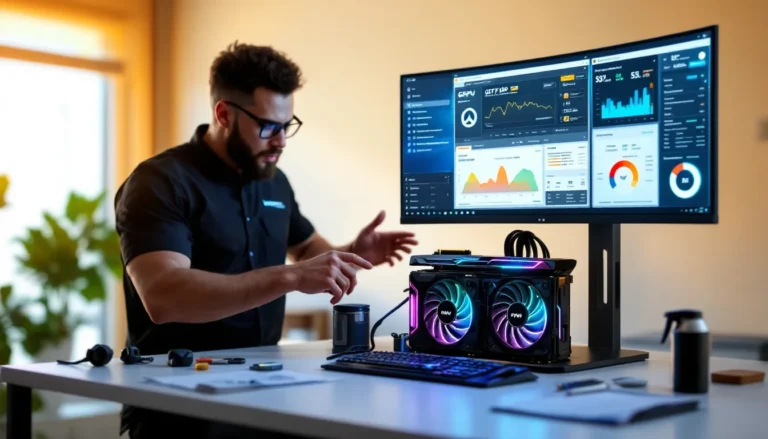
The replay analysis engine is where Aspire shines. When you upload a match, the system doesn’t just play it back, it highlights critical moments and tags them with context. You’ll see:
- Death replays with breakdown: Every death gets timestamped and annotated with the reason, was it a positioning mistake, healing problem, or got caught out of position?
- Ultimate economy tracking: The system visualizes who has ult at key moments, helping you understand tempo and resource management.
- Damage taken vs. damage dealt: Visual graphs show your trading patterns and whether you’re farming ult efficiently or bleeding resources.
- Cooldown timelines: See exactly when abilities came off cooldown and whether you’re using them optimally.
Unlike raw replay files, Aspire overlays data directly onto the footage, so you’re not squinting at raw numbers, you’re watching your play with context baked in.
Personalized Coaching and Feedback Systems
This is where the human element kicks in. Aspire connects you with professional and semi-professional coaches (players with Grandmaster or pro experience) who review your replays personally. Depending on your plan tier, you’ll get:
- Text-based feedback: Written notes on specific plays, positioning errors, and improvement areas.
- Video commentary: Some tiers include coaches recording video notes that walk you through key moments.
- Hero-specific tips: If you’re a Winston main stuck at 3200 SR, the coach focuses on Winston fundamentals, jump timing, bubble usage, when to land on backline.
- Macro strategy notes: Not just mechanics, coaches flag whether your team fight positioning aligns with your comp, when to group vs. stagger, and ult economy plays.
The feedback loop is asynchronous, so you’re not locked into live sessions. Upload a replay, get notes back within 24-48 hours, review them at your own pace.
Performance Tracking and Analytics
Aspire logs every replay you upload into a searchable dashboard. Over time, you build a performance profile showing:
- Win rate by hero: Track which heroes you’re actually performing on vs. which ones you think you’re good with.
- Average SR per match: Trending your SR over weeks or seasons to spot whether coaching is actually moving the needle.
- Common mistakes: The platform flags recurring patterns, if you die to the same ability combo three times a week, it highlights that.
- Strengths profile: Aspire also identifies what you’re doing right, so you can lean into your strengths while fixing weaknesses.
- Comparison to rank: See how your stats (accuracy, ult percentage, deaths per 10) compare to other players at your rank and above.
The analytics aren’t just pretty graphs: they’re meant to be actionable. The idea is to replace guesswork with data, you’re not wondering if you need to improve positioning, you have metrics showing exactly where.
How to Get Started With Aspire Overwatch
Setting Up Your Account and Profile
Getting started is straightforward:
- Create an Aspire account with your email and a strong password.
- Link your gaming accounts: Connect your Battle.net account (for PC), PlayStation Network, or Xbox Live, depending on where you play. Aspire pulls match history from your linked account.
- Choose your main roles: The platform lets you tag your primary and secondary roles, this shapes which coaches are matched with you and which stats the system prioritizes in your dashboard.
- Set your goals: Are you grinding for Grandmaster? Trying to hit 4000 SR? Want to lead a team to playoffs? Articulating your goal helps Aspire tailor feedback.
- Pick a plan: Aspire offers several tiers (more on pricing in a later section). Free tier gives you basic replay upload and AI analysis: paid tiers unlock coach feedback and priority analysis.
Once you’re set up, your profile acts as a hub, match history, replays, coaching feedback, and stats all live there.
Uploading and Analyzing Your First Replay
After setup, you’re ready to upload. Here’s the process:
Manual upload: Download your replay from Overwatch 2 (found in your match history folder). Drag and drop it into Aspire, tag the heroes you played, and note the enemy comp if useful.
Automatic sync (premium tiers): Higher-tier plans auto-import replays from your account, so you don’t have to manually download anything.
Once uploaded, the AI analysis kicks off immediately. Within minutes, you’ll see:
- Timestamps of every death and how they happened.
- A heat map showing where you spent time on the map.
- Ability usage timeline, when you cast your abilities and whether it led to value.
- Team fight breakdowns.
You can review all this without waiting for coach feedback. If you’re on a paid plan, you also request coach review, which queues your replay for a human analyst. They’ll add video commentary or text notes depending on your tier.
A good habit: upload 2-3 replays per week, spread across different maps and comps. Coaches will spot patterns faster when they see multiple matches.
Improving Your Gameplay With Aspire’s Coaching Tools
Using Feedback to Identify Mistakes and Bad Habits
Getting feedback is one thing: actually implementing it is another. Here’s how to make Aspire feedback stick:
Review with a notepad: When you watch coach commentary or read text feedback, jot down 2-3 specific takeaways. Don’t try to absorb everything at once, focus on one or two mechanical or positioning fixes per session.
Spot the pattern: If a coach flags “diving too deep without cover” in one replay, check your next few uploads. Are you repeating that mistake? Aspire’s dashboard will show recurring patterns, but actively reviewing coach notes helps you notice them faster.
Test one fix at a time: Say feedback mentions you’re not using cover efficiently. In your next 10 games, deliberately focus on that single aspect. Once it’s habit, layer in the next improvement.
Distinguish between role-specific and universal feedback: A “stop overextending” note applies to most heroes, but “Winston bubble timing” feedback is hero-specific. Compartmentalize so you’re not mixing different skill trees.
Common recurring issues Aspire coaches flag:
- Poor ultimate economy: Not holding ult for key team fights or wasting it.
- Positioning lapses: Taking fights from disadvantaged angles or isolated from team.
- Ability misuse: Panic-casting cooldowns instead of spacing them for better value.
- Healing/support prioritization: Supports not reading their team’s needs or tanks misjudging support proximity.
- Ult tracking: Not accounting for enemy ultimate percent, leading to preventable deaths.
The moment you start seeing your own patterns, you’ve crossed a threshold. Aspire’s job is to hold a mirror up: your job is to act on what you see.
Tracking Progress and Setting Achievable Goals
Without metrics, improvement feels fuzzy. Aspire makes it concrete. Here’s how:
Set monthly milestones: Instead of “get Grandmaster,” target a specific SR increase, 500 points per month is realistic for dedicated grinding. Aspire lets you log these in your profile.
Review your stats dashboard weekly: Check win rate by hero, death frequency, accuracy (for hitscan), healing output (for supports), or shatters landed (for tanks). If you’re reviewing replays but your stats aren’t moving, something isn’t clicking.
Compare yourself to the next rank: Aspire shows how your metrics stack against Diamond, Master, and Grandmaster averages. If your DPS accuracy is 2% below Diamond average, you’ve found something to grind.
Track hero proficiency: Most players think they’re proficient on more heroes than they actually are. Aspire’s win rate data cuts through ego. If you’re 52% on Tracer but 38% on Doomfist, you have your answer about which hero to prioritize.
Celebrate small wins: Went from 4 deaths per game to 3.2? That’s progress. SR climbing isn’t linear, but stat improvement often is. Aspire highlights these gains to keep momentum.
A realistic timeline: 4-8 weeks of consistent replays + focused feedback implementation should shift your perception and gameplay noticeably. SR gains typically follow within another 2-4 weeks once mechanics internalize.
Aspire Overwatch for Competitive Players and Teams
Team-Based Analysis and Strategy Reviews
Aspire isn’t just for solo queue grinders. Teams use it too. Here’s what team features look like:
Scrim analysis: Upload scrimmages against other competitive teams. Aspire breaks down:
- Team fight wins/losses and the mechanical reasons why.
- Position clustering, are your DPS playing too close together, making them vulnerable to AOE?
- Ultimate economy across the full team, who’s feeding, who’s banking well.
- Individual consistency across multiple games against the same team.
Comparative reviews: Compare your team’s performance against tournament footage from pro teams on the same map and comp. Aspire overlays your plays next to pro plays to highlight the gaps in macro strategy, not just mechanics.
Position-specific breakdowns: Coaches review tank frontline decision-making, DPS positioning, and support positioning separately. A tank might be playing well mechanically but out of sync with supports, or DPS might be positioned optimally but not respecting sightlines. Aspire isolates these.
Tournament vod review: Before playoffs or major events, teams can bulk-upload their recent scrims and tournament matches. Aspire flags patterns the opposing team will exploit, allowing you to iterate on strategy.
Teams on Aspire’s premium tiers get dedicated team analysts, one coach assigned to your roster who learns your playstyle, communication patterns, and comp preferences over the season.
Preparing for Tournaments and Ranked Matches
The week before a tournament is when Aspire earns its value. Here’s the workflow:
Opponent research: Upload recent scrims against or footage of teams you’ll face. Aspire helps you spot their tendencies, do they dive on backline? Do they play time rather than kill-based fights? Are they weak to poke?
Strategy testing: If you’re planning a new comp or strat, scrim it out, upload to Aspire, and get feedback on execution from coaches familiar with competitive play. Carry out, scrim again, iterate.
Individual readiness: Even in team play, individual mechanics matter. Aspire flags which players need the most mechanical reps leading into competition. Maybe your DPS duelist needs better 1v1 practice, or your support needs to tighten positioning. Targeted practice hits harder than generic grinding.
Confidence building: Reviewing successful plays and seeing stats trending upward matters psychologically. Teams that use Aspire consistently going into playoffs have tangible evidence they’re improving, which affects mental state and team cohesion.
Ranked matches work the same way, the principle of constant review and iteration applies whether you’re climbing ladder or competing for prize money. When you upload after losses, you’re actively deconstructing what went wrong instead of tilting and queuing again.
Pricing, Plans, and Accessibility
Aspire offers tiered pricing to match different commitment levels:
Free tier: Access basic replay upload, AI-powered analysis (heat maps, ability timeline, death logs), and hero stats tracking. No coach feedback. Best for players who want to self-review and aren’t ready to invest financially.
Starter tier: ~$9.99/month. Includes AI analysis plus monthly coach review sessions (usually 1-2 replays). Coaches provide written feedback. Best for casual climbers serious about improvement.
Pro tier: ~$24.99/month. Unlimited coach feedback, video commentary on replays, priority analysis queue (usually reviewed within 24 hours), and team analytics. Best for serious climbers and small competitive teams.
Team tier: ~$49.99+/month (scales with roster size). Dedicated team analyst, priority everything, competitive strategy reviews, comparative analysis, and tournament prep packages. Designed for organized competitive teams.
Aspire occasionally runs promotions, bundle annual plans at a discount (roughly 20% off), and there are sometimes limited-time coaching credits for new sign-ups. It’s worth checking during season launches.
Platform availability: Aspire is browser-based, so it works on any device. You can upload replays on PC, review on your phone, and check your dashboard from anywhere. Mobile app is available on iOS and Android for stats checking and feedback review on the go.
Value question: Is Aspire worth it? A single session with a professional Overwatch coach offline runs $30-100 per hour. Aspire’s Pro tier at $25/month is roughly 2 coach sessions worth of feedback per month, assuming you’re uploading 2-3 replays. If you’re serious about climbing and you upload consistently, the math works. If you upload one replay per month, you’re overpaying.
Free tier is honestly solid for players starting out. Experience the platform, get used to analysis, then upgrade if it clicks. There’s no lock-in contract, cancel anytime.
Common Questions and Tips for Maximum Results
Q: Does Aspire work for all ranks?
Yes, but it’s most impactful if you’re between 2500-4000 SR. Below 2500, you’re often better off grinding fundamentals with free resources. Above 4000, you’re in territory where coach experience matters enormously, Aspire’s coaches are strong, but ultra-high level play sometimes needs coaches with direct Grandmaster/pro experience. That said, Aspire’s community coaches include plenty of GMs and ex-pros, so it’s not a dealbreaker.
Q: How often should I upload replays?
Aim for 3-5 per week minimum if you’re on a paid plan. One replay per week doesn’t give coaches or the AI enough data to spot patterns. Quantity plus consistency is key. If you’re on the free tier, upload at least one per week so you’re building a meaningful dataset.
Q: Can I use Aspire to improve at multiple heroes?
Absolutely, but coaches recommend focusing on one role initially. Once you’ve internalized feedback and climbed on your main, branch into a second. Aspire supports this, you can tag replays by hero, so analysis is hero-specific.
Q: What if I disagree with feedback?
Good instinct. Not all feedback is universal. Role matchups, team comps, and in-game context matter. Aspire’s platform lets you leave comments or questions on coach feedback. Some coaches will clarify their reasoning. Use judgment, if multiple coaches flag the same issue, it’s probably real.
Q: Does Aspire guarantee SR gains?
No platform does. Aspire gives you the tools and analysis: implementing the feedback is on you. Some players see gains in 2 weeks: others take 2 months because they’re not grinding enough games or not actively applying feedback. Aspire accelerates improvement but doesn’t skip the “play a lot” part.
Pro tips for maximum value:
- Review immediately after playing: Don’t wait weeks to review. Fresh memory of what happened during the match makes feedback stick better.
- Communicate with coaches: If feedback isn’t clear, ask. Aspire coaches aren’t gatekeeping: they want to help.
- Use the community: Aspire has a Discord and forums where you can discuss replays with other players. Sometimes peer feedback spots things coaches miss.
- Cross-reference with pro play: ProSettings and Game8 have pro player guides and tier lists. If Aspire suggests a positioning change, see how pros are doing it on the same map and comp.
- Test changes in competitive: Upload your replays post-implementation. If stats improve, you’ve validated the change. If not, loop back with coaches.
- Set weekly goals, not just SR goals: “Reduce deaths per game by 0.5” is measurable. “Hit Grandmaster” is the outcome of hitting smaller goals consistently.
One last note: The best esports players in any game, whether Overwatch, Valorant, or fighting games, have one thing in common: they study their own play ruthlessly. Aspire streamlines that study. It’s the difference between grinding the ladder blindly and grinding with a training plan.
Conclusion
Aspire Overwatch closes a gap that’s existed in the esports coaching space: accessible, affordable, hero-specific feedback that you can carry out immediately. Whether you’re stuck in a rank, prepping for competitive play, or leading a team, the platform offers real structure to improvement.
The core strength is specificity. Generic esports coaching exists everywhere, but Aspire is built for Overwatch 2 in 2026, it understands current meta, hero balance, map rotations, and rank-specific challenges. Your feedback addresses the game you’re actually playing, not some universal “improve positioning” platitude.
Starting is simple: upload a replay, review the AI analysis, and decide if paid coach feedback is worth it. For most climbers serious about reaching the next tier, it’s a worthwhile investment. The data-driven approach removes guesswork and keeps you honest about your actual performance versus your perception of it.
The competitive Overwatch scene is tighter than ever. Laddering to high ranks without structured improvement is possible, but inefficient. Aspire shaves weeks off that timeline. If you’re ready to stop climbing blind and start climbing with purpose, it’s worth exploring.